Case study
User account analyzer: an account activity report
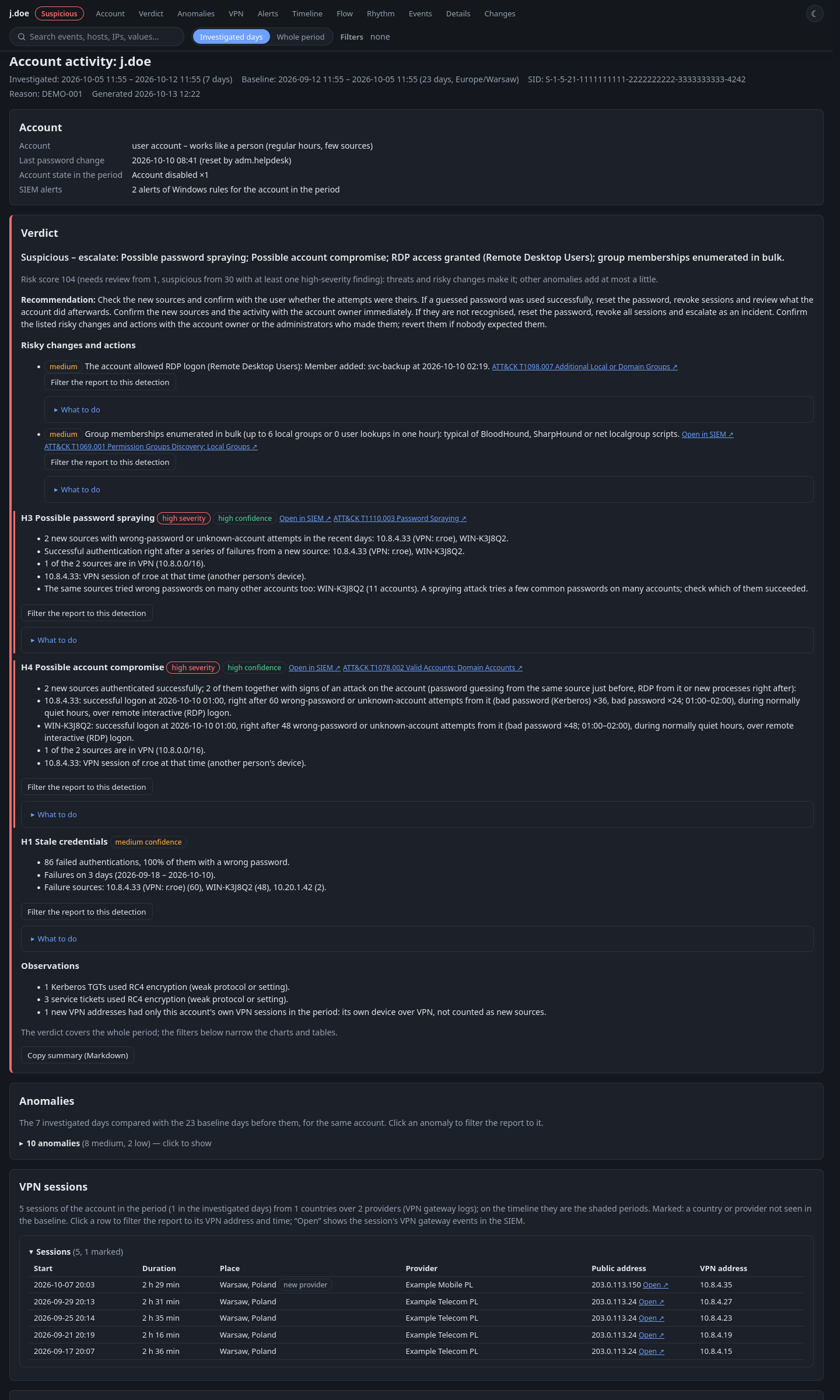
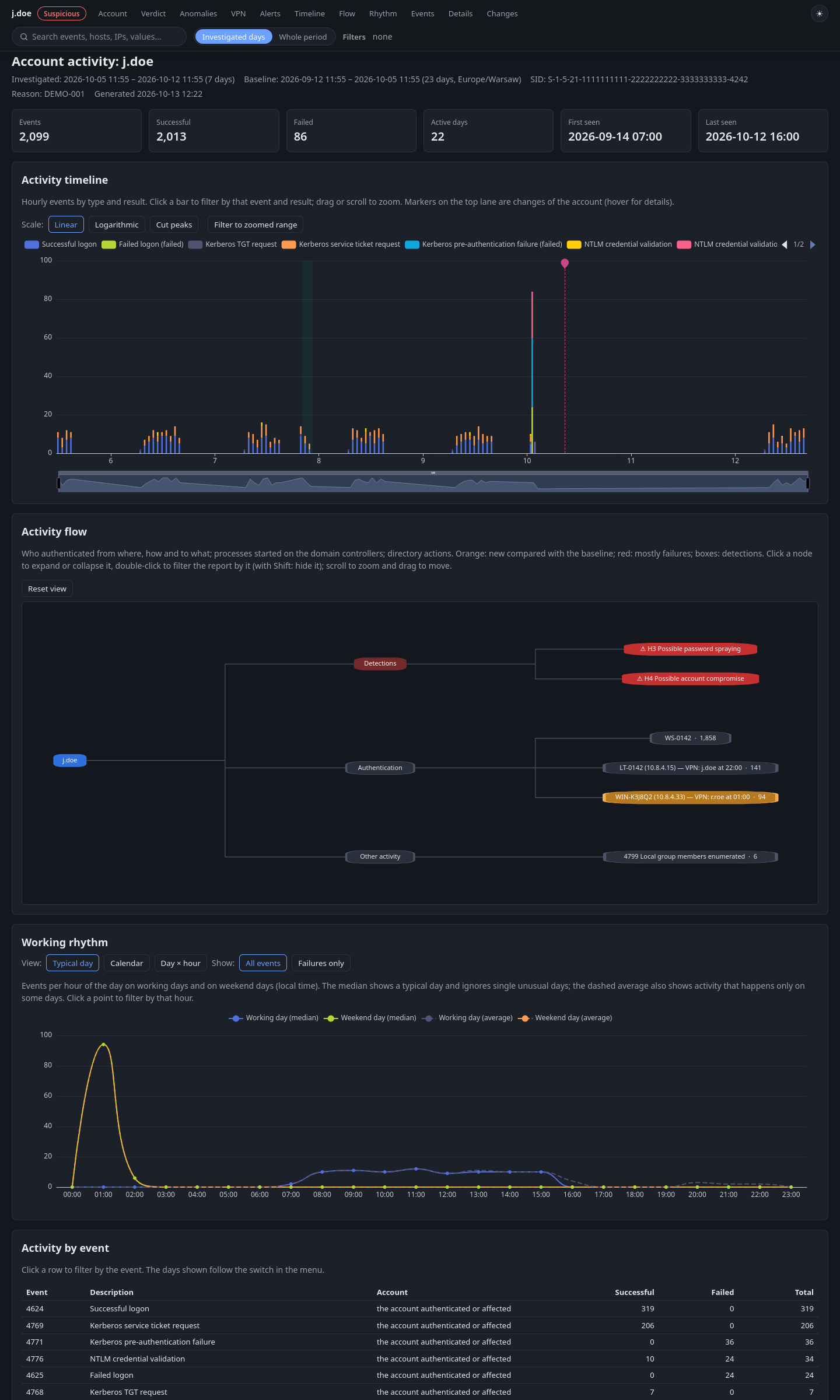
Part of Mini-SOAR. A PowerShell script produces a self-contained HTML report on an account’s activity: a verdict with a security risk score and detection confidence, hypotheses with evidence and a checklist for the analyst, a comparison with the account’s previous activity, correlation with VPN session times and an interactive timeline. Screenshots and the full report on synthetic data are below.
- Technologies
- Python
- Active Directory
- MITRE ATT&CK
- HTML
- PowerShell
Context
The user account analyzer is part of Mini-SOAR and builds reports for accounts or event types. An analyst runs it with a short PowerShell script, and the SSH connection goes through a restricted account that can only reach the reports generated by that user.
Problem
Every account investigation comes back to the same questions: whose account it is, where it logged on from, whether there were failed attempts and whether it keeps happening. Answering them means going through many events from different sources and comparing them with what’s normal for that account.
My role
The analyzer was built in the second phase of the project, with an AI coding agent (Claude Code). I set the requirements and detection logic, checked the results against real SOC work and passed on notes from using the reports every day; the agent implemented changes under my direction, with tests and review at every step.
Data and tools
- Sources
- Windows/AD events from the SIEM, VPN gateway logs and SIEM alerts about the account
- Period
- the investigated days compared with an earlier period of the same account (in the demo report: 7 days against 23 days)
- Output
- a single HTML file; file names and logs without personal data, and only its owner can read the report
What the report contains
Verdict and risk score
A verdict (e.g. “suspicious - escalate”), a risk score with an explanation of where it comes from, a recommendation and a list of risky changes linked to MITRE ATT&CK.
Hypotheses
Each hypothesis has a severity and confidence level, evidence, a MITRE ATT&CK link, a button that filters the report and a “what to do” list. The report tests for password guessing, account takeover, Kerberoasting, DCSync and lateral movement, among others.
Anomalies and VPN sessions
Deviations from the same account’s baseline, and VPN sessions: who held a given address at the time of the event, with a new country or provider flagged.
Charts and event details
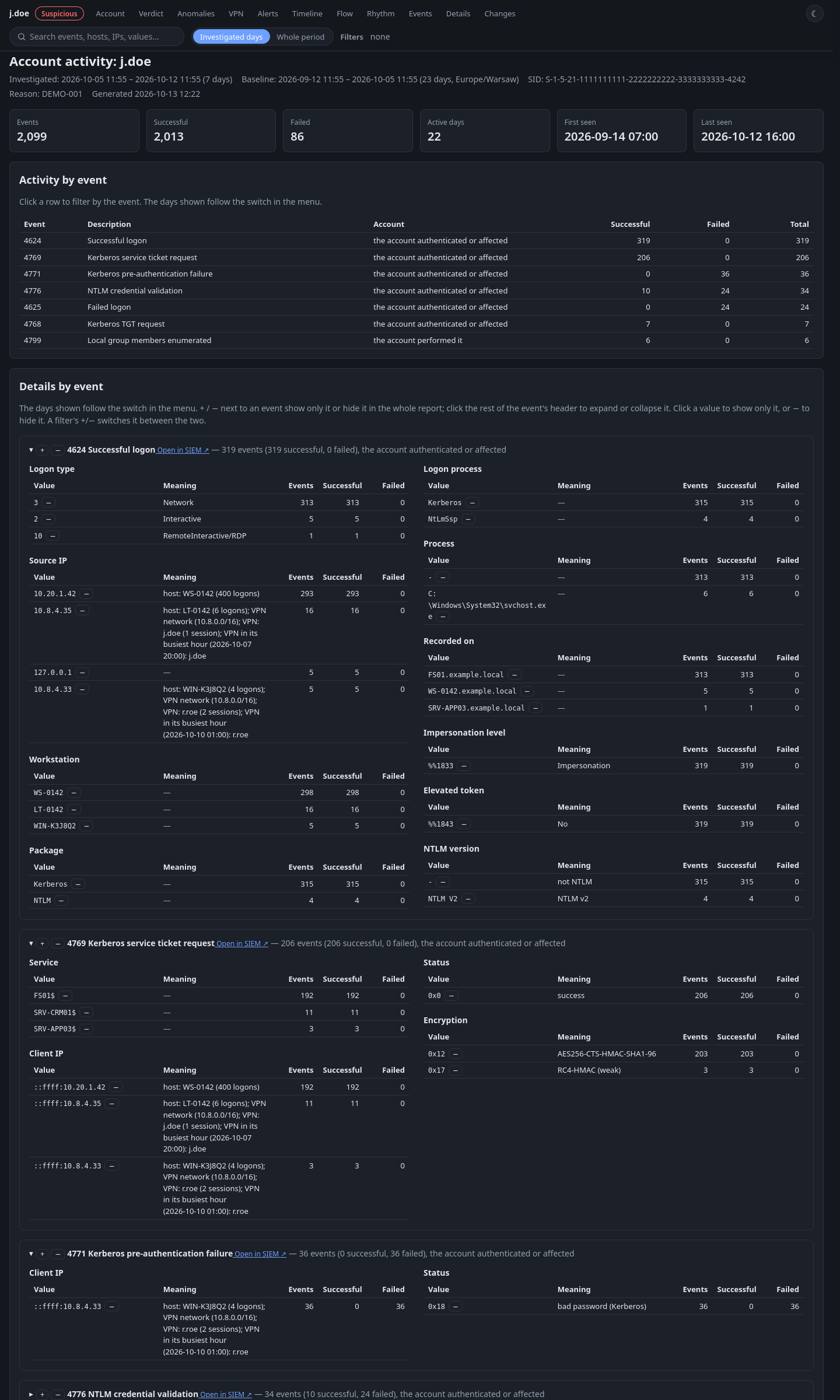
An hourly timeline, a “who, from where, how and to what” graph, the working rhythm on weekdays and weekends, and tables of field values. AD GUIDs, access masks, account flags and codes are translated into plain descriptions, and every element works as a filter.
Synthetic data: accounts, hosts and addresses are made up. The report opens in a new tab.
Key decisions
- The account’s own baseline
- Activity is compared with the same account’s history, not with one threshold for everyone, so the report shows what’s unusual for that particular account.
- Hypotheses instead of an event list
- Instead of a bare event list, the analyst gets hypotheses with evidence, a MITRE ATT&CK mapping and an L1 checklist.
- Plain language
- GUIDs, access masks and account flags are described in words, so there’s no need to look them up in the documentation.
- One file, one owner
- The report is a single HTML file that only its owner can read.
Status
The analyzer is part of the production version of Mini-SOAR, and the SOC team uses it. Notes from daily use, mostly about how convenient and readable the report is, went into development.
Limitations
- The verdict and recommendations are guidance for the analyst: the analyzer doesn’t block or change anything in any system.
- The demo report is generated from synthetic data; I don’t publish the code or reports from the real environment.